

Industrial Touch Display
Company Profile
Relying on the advantages of independent production and processing, as well as the accumulated years of experience in the field of industrial control touch control equipment exploration,we have established a complete industrial control computer,industrial grade panel PC, fanless industrial control machine and other professional product lines, and have a number of product patents and software Copyrights.
In the future development, Kongxian technology will continue to adhere to the professional technology research and development ability and solution ability,to provide customers in various fields with better quality industrial control products, to help the development and take-off of customers.
Why choose us?
Professional team
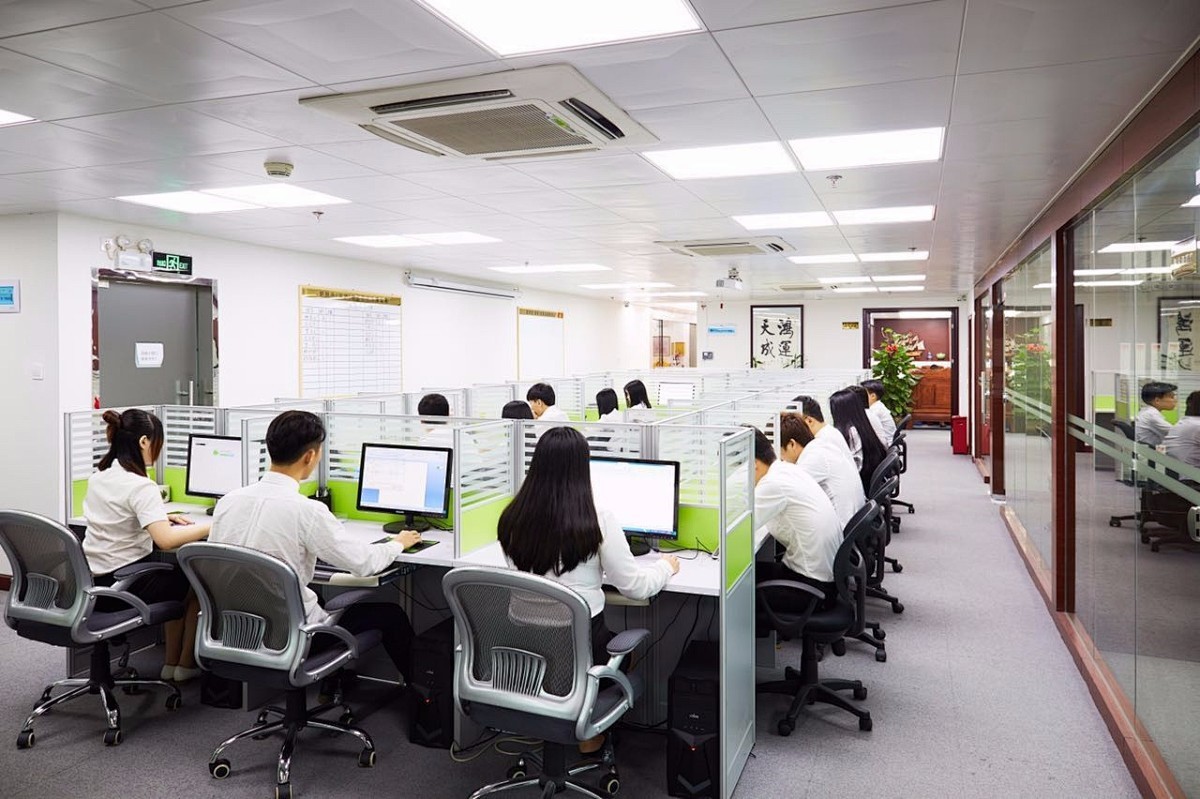
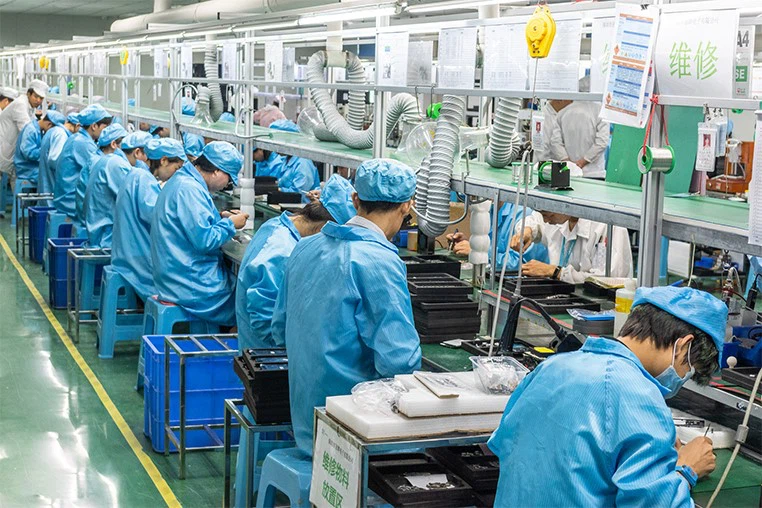
The company has more than 300 employees, professional and technical team more than 50 people, and has intelligent flow workshop, advanced testing instruments and other equipment.
Rich experience
Relying on the advantages of independent production and processing, as well as the accumulated years of experience in the field of industrial control touch control equipment exploration,we have established a complete industrial control computer,industrial grade panel PC, fanless industrial control machine and other professional product lines, and have a number of product patents and software Copyrights.
High quality
In the future development, Kongxian technology will continue to adhere to the professional technology research and development ability and solution ability,to provide customers in various fields with better quality industrial control products, to help the development and take-off of customers.
Product application
Our products are widely used in industries such as industrial automation, commercial intelligent terminals, CNC machine tools, instrumentation, rail transit, power, and security etc.
-
![Industrial Display Screen]() Industrial Display ScreenA 32-inch industrial-grade touch screen display, boasting an IP65 rating for dust and water resistance, features a sleek flat design, highly responsive touch technology, and comes equipped with...read more
Industrial Display ScreenA 32-inch industrial-grade touch screen display, boasting an IP65 rating for dust and water resistance, features a sleek flat design, highly responsive touch technology, and comes equipped with...read more -
![Dust Proof and Water Resistant Monitor]() Dust Proof and Water Resistant MonitorOur 15.6-inch industrial-purpose monitor incorporates an industrial-strength display driver board, guaranteeing prolonged standby capability and unwavering operational stability. The screen...read more
Dust Proof and Water Resistant MonitorOur 15.6-inch industrial-purpose monitor incorporates an industrial-strength display driver board, guaranteeing prolonged standby capability and unwavering operational stability. The screen...read more -
![Embedded Touch Monitor]() Embedded Touch MonitorThis 12-inch industrial touchscreen monitor showcases a sleek 3mm front panel, ideally tailored for seamless integration into various embedded systems. It offers a flexible choice between...read more
Embedded Touch MonitorThis 12-inch industrial touchscreen monitor showcases a sleek 3mm front panel, ideally tailored for seamless integration into various embedded systems. It offers a flexible choice between...read more -
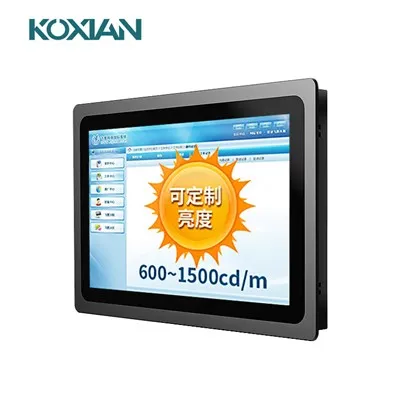
![High Brightness Touch Monitor]() High Brightness Touch MonitorOutdoor-ready industrial touch display with auto-brightness, UV-protected film, and embedded panel installation for outdoor devices.read more
High Brightness Touch MonitorOutdoor-ready industrial touch display with auto-brightness, UV-protected film, and embedded panel installation for outdoor devices.read more
$160/pcs For more pricing information on various... -
![Panel Touch Industrial Monitor]() Panel Touch Industrial Monitor10.4-inch high-resolution industrial touch display, wide temperature and pressure range, IP65 dustproof and waterproof, supports resistive capacitive touch. Multiple display interfaces meet the...read more
Panel Touch Industrial Monitor10.4-inch high-resolution industrial touch display, wide temperature and pressure range, IP65 dustproof and waterproof, supports resistive capacitive touch. Multiple display interfaces meet the...read more



What is Industrial Touch Display
In the ever-evolving landscape of technology, industrial touch screen monitors have emerged as a crucial component across various industries. These advanced displays offer a multitude of benefits that streamline operations, enhance user experience, and elevate productivity. From manufacturing plants to healthcare facilities, the advantages of incorporating industrial touch screen monitors are undeniable.
Benefits of Industrial Touch Display
Intuitive navigation
Industrial touch screen monitors provide an intuitive user interface that simplifies navigation and interaction. With familiar gestures such as tapping, swiping, and pinching, operators can swiftly access information and perform tasks, reducing the learning curve and minimizing errors.
Intelligent visual feedback
These monitors often incorporate visual cues such as icons and color-coded indicators, making it easier for operators to understand the status of various processes. This real-time visual feedback enhances decision-making and troubleshooting.
Faster data entry
Traditional data entry methods can be time-consuming and prone to errors. Industrial touch screen monitors enable swift and accurate data entry through on-screen keyboards, reducing data input time and minimizing typos.
Streamlined workflows
With customizable interfaces, industrial touch screen monitors can be tailored to specific tasks and workflows. This customization ensures that operators have quick access to relevant information, tools, and applications, ultimately optimizing operational efficiency.
Consolidated systems
Industrial touch screen monitors often integrate multiple functions into a single device. This consolidation eliminates the need for separate components, such as keyboards and mice, leading to a more streamlined setup and reduced clutter.
Energy efficiency
Many industrial touch screen monitors come equipped with energy-saving features, such as automatic dimming or power-saving modes. This not only reduces energy consumption but also extends the lifespan of the monitor.
Real-time monitoring
Industrial processes require constant monitoring. Touch screen monitors provide real-time visualization of critical data, enabling operators to monitor operations, identify trends, and respond promptly to anomalies.
Interactive graphs and charts
These monitors offer the ability to display complex data in the form of interactive graphs and charts. Operators can zoom in, pan, and manipulate data points directly on the screen, gaining deeper insights into the information presented.
Rugged construction
Industrial touch screen monitors are designed to withstand harsh environments, including exposure to dust, moisture, and vibrations. They feature rugged construction with protective layers that ensure longevity and reliability.
Longevity
The robust build quality of industrial touch screen monitors contributes to their extended lifespan. This durability reduces the frequency of replacements and maintenance, saving both time and resources.
Remote access
In some cases, industrial touch screen monitors support remote access and control. This feature allows authorized personnel to monitor and manage processes from a distance, enhancing flexibility and enabling swift interventions.
Future-proofing
With the ability to install software updates and new applications, industrial touch screen monitors can evolve alongside changing requirements. This future-proofing ensures that the monitors remain relevant and efficient over time.
Types of Industrial Touch Display
Embedded industrial-grade touch monitor
Embedded industrial-grade touch monitor, as the name implies, means that the monitor is embedded in the customer’s product equipment. The customer’s product or equipment must have a large or medium-sized control cabinet. Except for the display panel, the rest is embedded in the client equipment and fixed with hooks on the back. Large control cabinets need to be installed according to the opening dimensions in the embedded installation diagram of the industrial touch monitor manufacturer.
Wall-mounted industrial-grade touch monitor
Wall-mounted industrial-grade touch monitor is hangable. It can not only be hung on the wall, but also installed on customer equipment. The angle of the industrial monitor can be adjusted according to customer requirements. With the appropriate mounting arms, industrial-grade touch monitor can be mounted in any location for user viewing and are typically used on small, medium, and large devices.
Rack-mounted industrial-grade touch monitor
Generally speaking, a rack-mounted industrial-grade touch monitor is installed on a cabinet, such as a 21-inch cabinet, so its width is a standard 21 inches and the mounting holes are standard. The sizes are basically fixed. Rack-mounted industrial-grade touch monitors are generally used in large cabinets, such as telecommunications, power supplies, and large servers.
Open-frame industrial-grade touch monitor
Industrial-grade touch monitor has no frame and only has an internal display panel; Or, the monitor has side frames with mounting holes, which could be used for mounting the monitor to the cabinets with screws. Customers mainly use it on small-sized equipment. Generally, the installation space of industrial monitors is not large. For example, ATM machines, commercial POS, etc., which are usually installed inside customer equipment.
Application of Industrial Touch Display

Manufacturing
In manufacturing, touch screens are used in control panels, automation systems, and machine interfaces. They help monitor and control processes, reducing downtime and improving efficiency.

Healthcare
Healthcare applications include patient monitoring systems, medical devices, and information kiosks. Industrial touch screens provide reliable, easy-to-clean interfaces that meet stringent hygiene standards.

Retail and hospitality
In retail and hospitality, touch screens enhance customer service through self-service kiosks, point-of-sale systems, and digital signage. They improve transaction speed and offer interactive customer experiences.

Transportation and logistics
Touch screens in transportation and logistics are used for fleet management, tracking systems, and ticketing kiosks. They help manage operations efficiently and provide real-time information to users.
Step 1: Substrate selection
The Touch screen manufacturing process begins with the selection of a suitable substrate, which serves as the basis for the touch-sensitive layer. Common substrates include glass, plastic, and metal, each with their own advantages and limitations in terms of durability, transparency, and cost.
Step 2: Clear conductive coating
The transparent conductive coating is then applied to the substrate, typically using techniques such as sputtering or chemical vapor deposition. This coating allows the touchscreen to detect touch input by creating an electric field that is affected by a finger or stylus touch.
Step 3: Pattern the electrodes
Next, create an electrode pattern on top of the transparent conductive coating. These electrodes are engineered for precise touch detection and can be made from materials such as indium tin oxide (ITO) or metal mesh. Patterned electrodes are created using processes such as photolithography or etching.
Step 4: Protective layer
To protect the touch-sensing layer and improve durability, a protective layer is added on top of the patterned electrodes. This layer can be made from materials such as tempered glass or durable plastic and is carefully bonded to the substrate using specialized adhesives or lamination techniques.
Step 5: Test and Calibrate
Once the touchscreen is fully assembled, it undergoes rigorous testing and calibration to ensure it meets quality standards. This includes checking touch accuracy, sensitivity and responsiveness, as well as calibrating the touch screen to account for changes in environmental conditions and user interaction.
Step 6: Integrate into the device
After passing quality assurance testing, the touchscreens are integrated into various devices such as smartphones, tablets, interactive displays or kiosks as part of the final manufacturing process. This involves carefully aligning the touchscreen with the device's display and integrating it into the device's case or casing.
Step 7: Final testing and packaging
Before leaving the manufacturing facility, the device goes through final testing to ensure the touchscreen is functioning properly and the device meets all specifications. Once the devices pass final testing, they are carefully packaged and ready to be shipped to retailers or end users around the world.
Components of Industrial Touch Display

Sensing layer
The sensing layer is the critical component of a touchscreen, responsible for detecting and responding to touch actions. Common types include resistive touchscreens, capacitive touchscreens, and surface acoustic wave touchscreens.
Panel
The touchscreen panel is the surface actually touched by the user, typically made of glass or plastic. The panel's quality and transparency are crucial for display effectiveness and touch experience.
Control circuitry
The control circuitry serves as the brain of the touchscreen, responsible for translating touch inputs into commands recognizable by the computer. It also manages communication between the sensing layer and the panel.
Backlight
In some touchscreen technologies, such as LCD touchscreens, a backlight is installed on the back of the panel to ensure clear and bright display.
Frame and mounting
Touchscreens usually require frames and mounts to secure the touchscreen panel and protect the internal components from damage.
Connectors and cables
These are utilized to connect the touchscreen to a computer or display monitor.
Software drivers
Touchscreens require specific software drivers to enable the computer to understand and respond to touch inputs.

Best Practices for Cleaning Industrial Touch Display
Industrial touch screen monitors are essential equipment for any industrial facility. These touchscreen displays offer a seamless user experience, enhanced accuracy, and improved efficiency. They are also easy to install and maintain. To ensure optimal performance, it is crucial to install and maintain these touchscreens correctly and regularly monitor them for potential damage or issues. In this article, we will discuss the best practices for cleaning, installation, maintenance, damage prevention, and calibration guidelines for industrial touch screen monitors. We hope this information will be valuable to you.
When it comes to installing an industrial touch screen monitor, it is important that the device is securely mounted to prevent movement or damage from vibration or shock. Proper cable connections are crucial for interference-free functionality with no disruption from other electrical sources such as motors or lights. Regular cleaning with mild detergents designed for electronic equipment is essential to maintain the touchscreen’s performance and avoid permanent damage caused by harsh chemicals.
When it comes to maintenance of industrial touchscreens, there are several key steps that need to be completed regularly. This includes checking all connections between components, such as power supply and USB touch screens, to ensure there isn’t any dust buildup inside the equipment. Dust buildup can affect the performance of touch screen surfaces over time. Additionally, users should periodically check if their system requires recalibration. Recalibration involves adjusting settings within software programs associated with your particular model of touch screen in order to address common issues like accidental double-clicking caused by overly sensitive settings. Finally, it is important to take preventative measures to avoid costly repairs down the line. This includes keeping liquids away from areas where moisture could seep into ports and connectors of the industrial touchscreens.
How to Choose the Right Industrial Touch Display
When selecting industrial monitors for your application requirements, it’s important to consider how well the equipment will integrate into existing systems. This includes aspects like compatibility with software platforms used by the organization and network connectivity capabilities required for remote access control if needed. By taking all factors into consideration, you can be sure to get high-resolution monitors with capacitive touch that provide a quality solution meeting both current and future needs. Additionally, these monitors ensure durability over time regardless of environmental factors or user activity levels.
Touch technology is rapidly evolving in various industries, including industrial and commercial businesses. Industrial touch screen monitors are designed to be durable, reliable, and user-friendly, making them the right choice for maintenance in these industries. They offer advanced features like multi-touch capability and high-resolution displays. Rugged touch screens are specifically built to withstand harsh environments, including exposure to dust, dirt, moisture, vibration, or extreme temperatures. Customized touch screens allow for tailoring the interface of an application to suit specific business needs. With touch screen connectivity, users can effortlessly access information from multiple devices without manual switching.
Industrial touch screen monitors are designed to provide the highest level of performance in challenging environments across various industries. They come in a range of sizes and resolutions suitable for any business application. Depending on your needs, you can choose an industrial monitor with either single-touch or multi-touch capabilities that feature resistance to dust and water ingress. The size and resolution also determine the type of connectivity options available such as USB, Ethernet, or Wireless interfaces. With customized touch screens tailored to specific applications, users have access to reliable and accurate data input even under extreme conditions.
The latest advancements in touch screen technology make it possible for industrial monitors to operate reliably in harsh business conditions where traditional computing devices would fail due to vibration or moisture exposure. This makes them ideal solutions for rugged business environments such as factories, warehouses, and outdoor areas with frequent temperature fluctuations or high levels of dust particles present. State-of-the-art features like projected capacitive (PCAP) technology enable precise operation even when wearing gloves while IP ratings ensure protection against liquids entering into the device’s housing structure making them highly resistant against corrosion over time.
For mission-critical business operations where downtime cannot be tolerated, customized touchscreen monitors offer robust connectivity solutions designed specifically according to customer requirements. By having direct control over design elements like display size, brightness, anti-glare coating, etc., business customers can rest assured knowing their system will perform optimally at all times no matter what environment it’s used in. Furthermore, advanced technologies like embedded wireless communication modules allow business operators seamless integration into existing networks so they don’t need additional hardware components installed on site, saving both time and money spent on installation costs.
Connectivity is crucial for the proper functioning of touchscreen monitors in the business sector. Whether it’s industrial touch screens, rugged touch screens, or customized touch screens, a reliable connection is essential. When businesses are considering purchasing these types of products, it is important to take into account the available connectivity options.
Industrial touch screen monitors are becoming increasingly popular in the workplace due to their ability to be customized for a variety of applications. With the help of touch-screen technology, users can easily access information and control various systems without having to use physical buttons or switches. This makes them ideal for industrial settings where safety is paramount. In addition, these monitors also offer greater flexibility as they can be tailored to meet specific needs within an environment. For example, ruggedized versions are available which allow them to withstand harsh conditions while still providing reliable performance. Furthermore, customized solutions such as multi-touch capability and enhanced connectivity options make it possible for businesses to get exactly what they need from their monitor setup.
Certifications

Our Factory
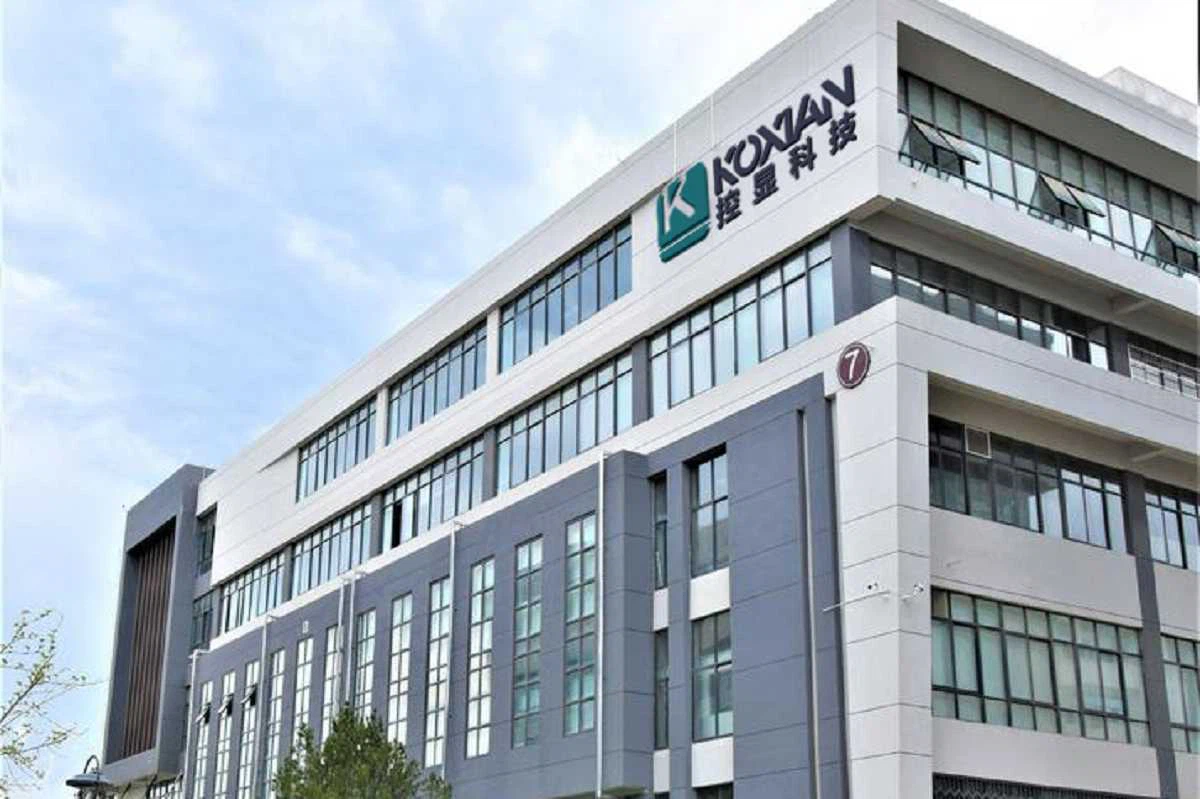
Focusing on industrial touch products and integrating R&D, manufacturing and sales.In the future development, Kongxian technology will continue to adhere to the professional technology research and development ability and solution ability,to provide customers in various fields with better quality industrial control products, to help the development and take-off of customers.

FAQ
As one of the most professional industrial touch display manufacturers and suppliers in China, we're featured by quality products and good price. Please rest assured to buy bulk customized industrial touch display from our factory.
industrial touch display applications in machine tools, industrial touch interface, industrial touch display applications in power distribution